
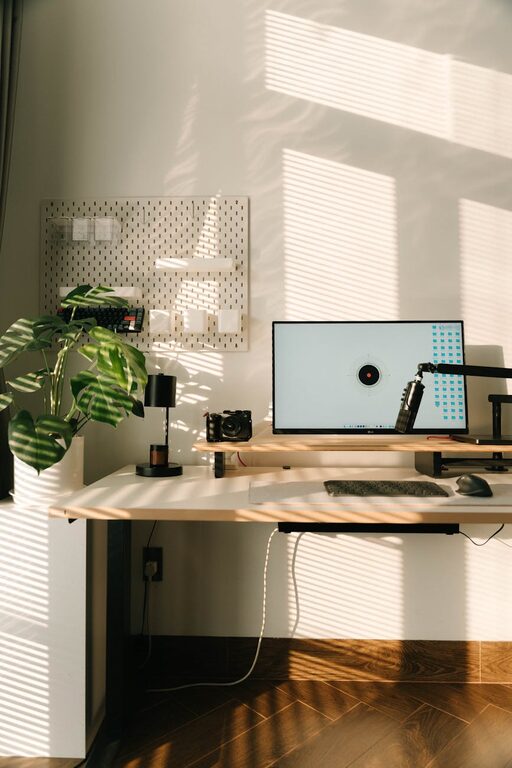
Tips for Creating a Cozy and Productive Home Office Space
Creating a home office that is both cozy and productive can greatly enhance your work-from-home experience. Whether you are working full-time remotely or just need a dedicated spot for occasional tasks, the right environment can improve your focus and comfort. Below are helpful tips to design a home workspace that balances warmth and efficiency.
Choose the Right Location
Natural Light Matters
If possible, select a spot that receives plenty of natural light. Sunlight helps reduce eye strain and lifts your mood, making it easier to stay focused. Place your desk near a window, but avoid glare on your screen by using adjustable blinds.
Quiet and Away from Distractions
Find a quiet corner or room where noise and interruptions are minimized. This reduces stress and helps maintain concentration during work hours.
Invest in Comfortable and Functional Furniture
An Ergonomic Chair
A comfortable chair with good back support is essential. Sitting for long hours can cause fatigue and discomfort, so choose one that promotes good posture.
A Spacious Desk
A desk with enough surface area for your computer, notes, and any tools ensures you stay organized. Adjustable desks that can convert to standing height are excellent options for flexibility.
Organize to Minimize Clutter
Use Shelving and Storage
Add shelves, drawers, or storage bins close to your desk to keep supplies and documents within reach but out of sight. A tidy workspace reduces stress and allows you to focus better.
Cable Management
Tidy up cords with clips, sleeves, or under-desk trays. A neat setup prevents distractions and makes cleaning easier.
Personalize Your Space
Add Warm and Inspiring Decor
Incorporate elements like plants, artwork, or photos that inspire and calm you. Plants improve air quality and add a natural touch, while meaningful art can boost creativity.
Use Soft Textiles
A plush rug, cozy throw, or cushions make the space inviting and warm, without sacrificing professionalism.
Optimize Lighting for Work
Task Lighting
Use a desk lamp with adjustable brightness to illuminate your work area evenly, especially during dark hours.
Avoid Harsh Overhead Lighting
Soft, diffused lighting helps reduce eye strain and creates a calming atmosphere.
Set Clear Boundaries
Define Work Hours
Creating a routine signals to your brain when it’s time to work and when to relax. This can improve productivity and work-life balance.
Separate Work from Leisure
If possible, close a door or arrange your office layout to distinguish it from relaxation areas, helping you mentally switch between modes.
Incorporate Technology Thoughtfully
Reliable Internet Connection
Ensure your workspace has strong Wi-Fi or use an Ethernet cable. Slow internet can be very frustrating during meetings or large file transfers.
Ergonomic Accessories
Consider items like an external keyboard, mouse, or monitor stand positioned at eye level to minimize strain.
Take Breaks and Move
Include space for simple stretching or quick walks nearby. Staying active during the day is crucial for both focus and physical well-being.
—
By thoughtfully setting up your home office with these tips, you can create a space that feels welcoming and helps you work efficiently. Remember, the best workspace reflects your personal needs and preferences, so feel free to experiment until you find what works best for you. A cozy and productive office is one of the best investments in your work-from-home success.


